01 — BOXES
Everything in its box
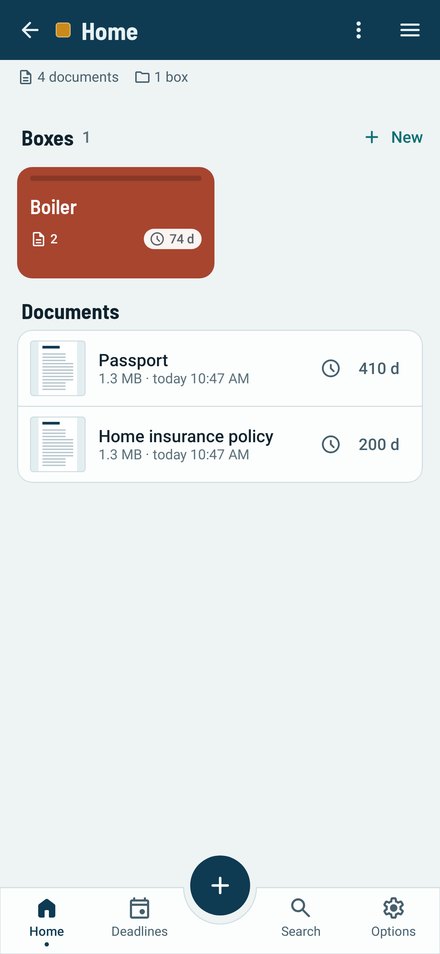
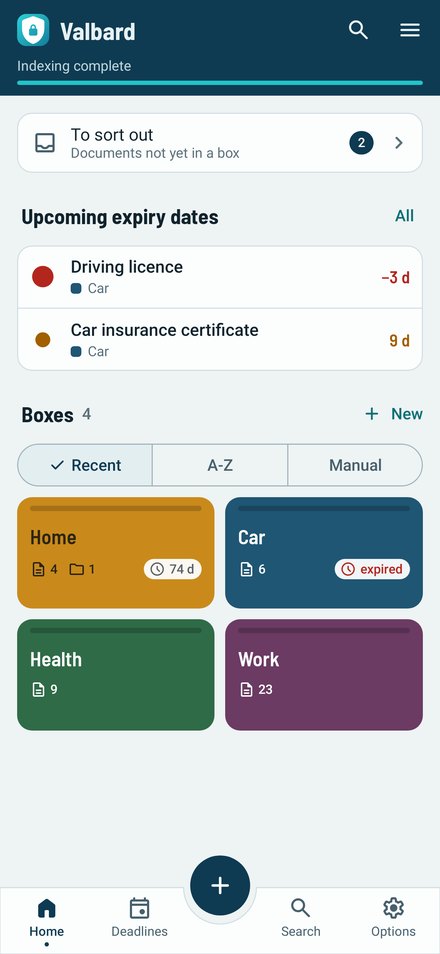
Your documents live in coloured boxes: one for the house, one for the car, one for health, one for work. Each box shows how many documents it holds and the nearest deadline. You order them as you like: most recent first, A to Z, or by hand, holding one down and moving it with your finger. Whatever you haven't filed yet waits in «To sort out».
coloured boxesrecent, A-Z or manualto sort out
02 — LIKE FOLDERS
Boxes inside boxes
A box can hold other boxes, like folders: the «Boiler» inside «Home», one box per client inside «Work». There is no limit. Each level has its own order and its own «+ New», and you can move documents from one box to another whenever you want.
no limitsone order per levelmove documents
03 — DOCUMENTS
PDFs, photos and scans
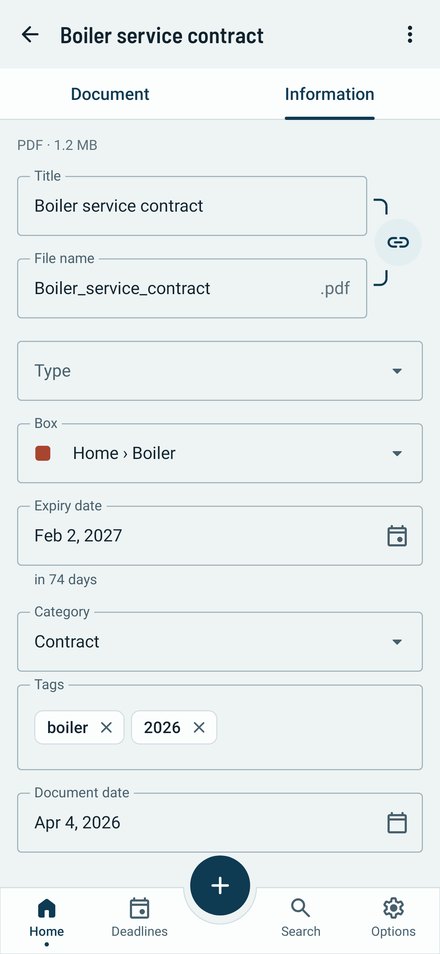
You import PDFs and photos (JPG, PNG, HEIC, WebP), several files at once, or take a photo from Valbard: it doesn't end up in your gallery, it goes straight into the vault. Every document has its own card: title, type, box, category, tags, date, expiry and notes. Pages turn with a swipe and zoom in, always inside the app.
several files at oncephotos outside the galleryzoom
04 — WRITE THE DETAILS
Even without a file
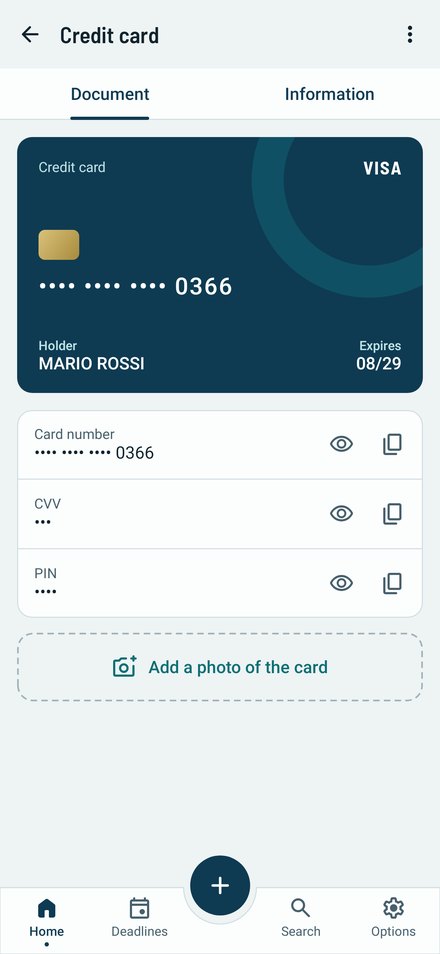
A payment card, an identity document, a driving licence, a health card, an insurance policy, a bank account: pick the type and write the details, no photo needed. Numbers stay hidden. The eye shows one at a time and hides it again after 30 seconds; whatever you copy is cleared from the clipboard after a minute. While you type the card number, Valbard checks that the digits add up. When you share, you choose which details go out, and before sending sensitive ones it asks you first.
6 typeshidden numbersclipboard clearedshare only what you pick
05 — SEARCH
It finds what's written inside, too
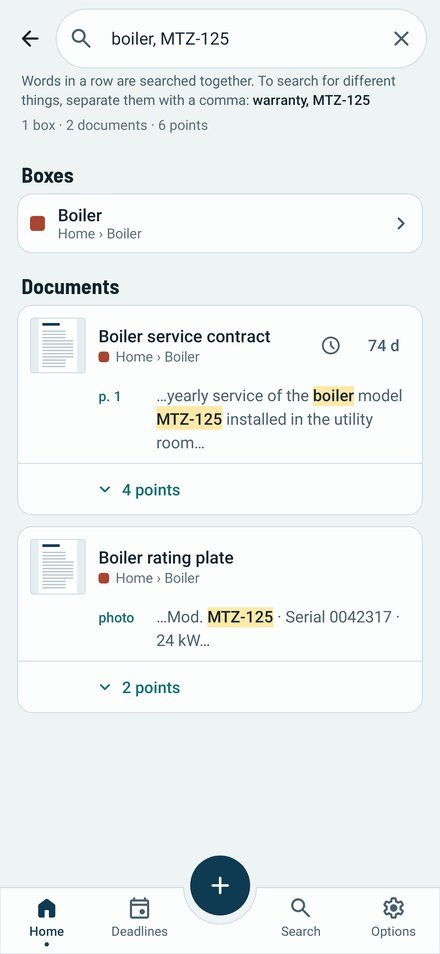
Search reads the text of your PDFs and, with text recognition, your photos and scans too. Look for a model, a number plate, a policy number: Valbard takes you to the right page with the words highlighted. It also searches titles, boxes, categories, tags and notes. Text recognition runs on the phone, without a connection.
inside PDFsinside photoshighlighted words
06 — DEADLINES
No more expired licences
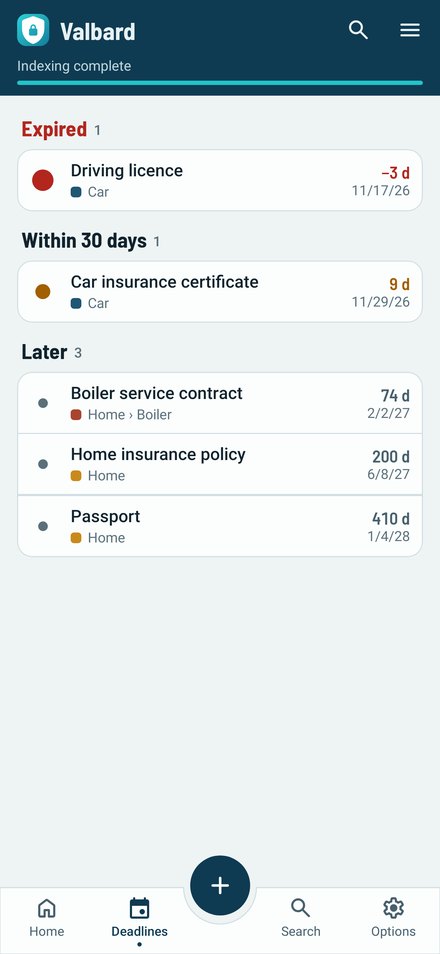
You set the expiry date of your licence, passport, policy or warranty, and one tab lines them up: expired, within 30 days, later. If you like, a reminder 30 days before, 7 days before, the day before or on the day, at the time you choose. The notification never says which document is expiring: anyone glancing at your phone reads nothing.
expired · 30 days · lateroptional remindersnotifications say nothing
07 — SECURITY AND BACKUP
Really encrypted, and with a copy
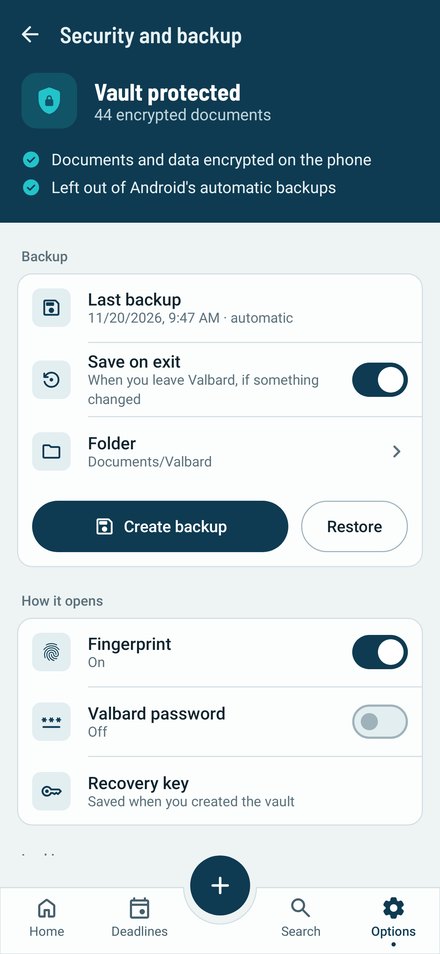
Every document is encrypted with AES-256 as soon as you put it in the vault, and so is the database with titles, notes and deadlines. The vault opens with your fingerprint or a password, and locks itself when you lock the phone or after the minutes you choose. A recovery key opens it if you change your fingerprints or forget the password. The backup is a single encrypted file, in the folder you want: Valbard reads it back before telling you «done», and if you like it saves one by itself when you leave.
AES-256fingerprint or passwordrecovery keyencrypted backup