01 — AT A GLANCE
A road sign for each SIM
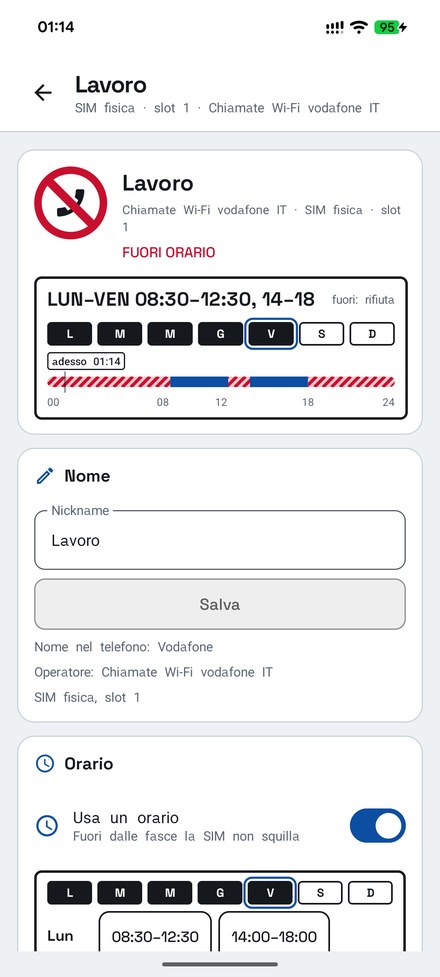
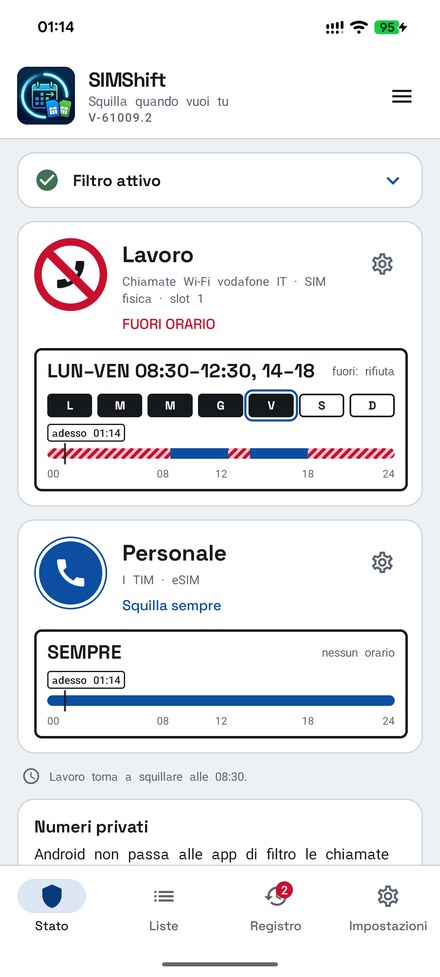
The first screen shows each SIM as a road sign. Red with a bar: it is being filtered right now. Blue: it rings right now. Below are the week's schedule and today's bar with a «now» mark. When a SIM is quiet, SIM Shift tells you when it will ring again.
no entry = filteredblue = ringsrings again at…
02 — SCHEDULES
Decide when it rings
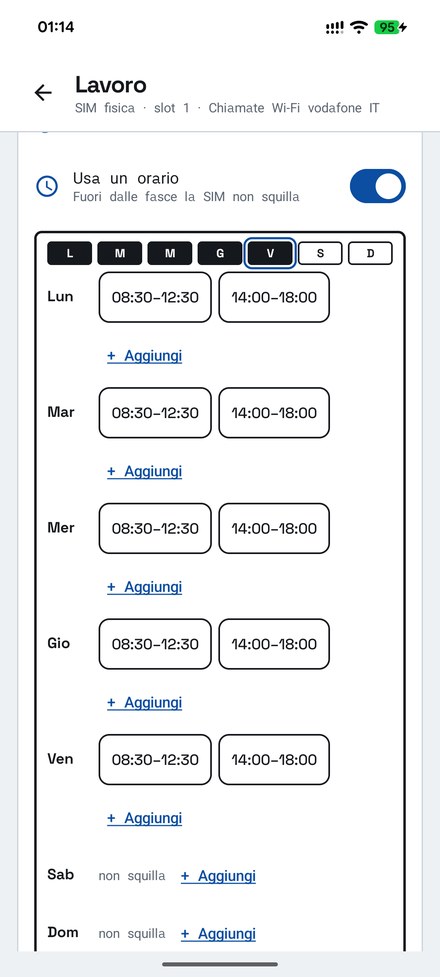
Time slots day by day, more than one a day and even across midnight. Days with the same time slots stay together: change them once and they apply to all, and you choose which days get them. Works with physical SIMs and eSIMs, even if you move them to another slot.
several slots a daypast midnightSIM and eSIM
03 — OUT OF HOURS
Silence or reject: your choice
Out of hours, you decide what happens. Reject, the default: the call is ended and the caller hears a busy tone or goes to voicemail. Silence: the phone does not ring and the call stays among your missed calls, so you can call back. For each SIM you can do the same with callers who are not in your contacts, always or only out of hours.
reject, the defaultsilencenumbers not in contacts
04 — BLOCK LIST
Block a number, or a whole country
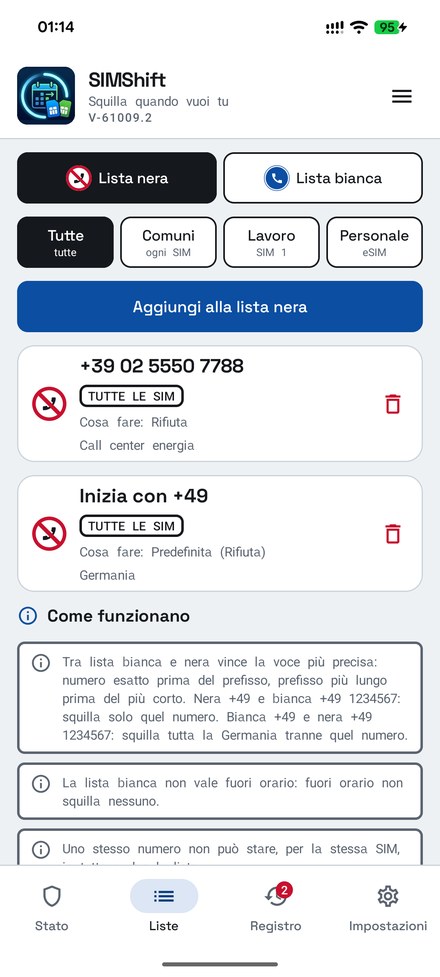
A number on the block list never rings, not even within hours. You can enter an exact number or a prefix, and you pick country prefixes from a list: with +49 you stop every call from Germany. On Italian SIMs the 0843 (surveys and polls) and 0844 (telemarketing) number ranges go on the block list by themselves. Each entry applies to all SIMs or to just one, can have its own action, and with search you find it again in a flash. The + at the bottom adds an entry; press and hold a row to select more than one.
exact numberprefixes by country0843 and 0844 already blockedsearch
05 — ALLOW LIST
Let the people you know through
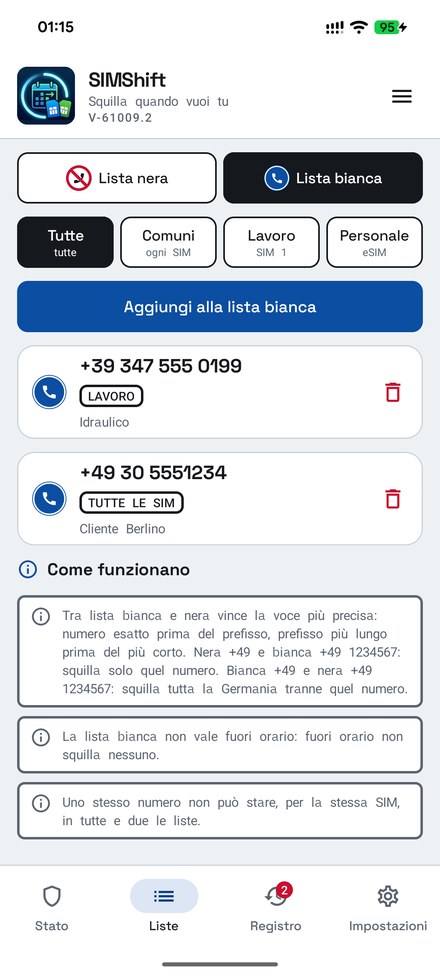
A number on the allow list always gets through, even if it is not in your contacts. Between the two lists the most precise entry wins: with +49 on the block list and a client in Berlin on the allow list, that client is the only one who rings from Germany. Out of hours, by default, nobody rings, not even the allow list: that is the rule that keeps your evening free. If you like, in the settings the allow list can always ring, for example for a relative or your doctor.
most precise winseven outside contactsout of hours: your choice
06 — LOG
Always know who you stopped
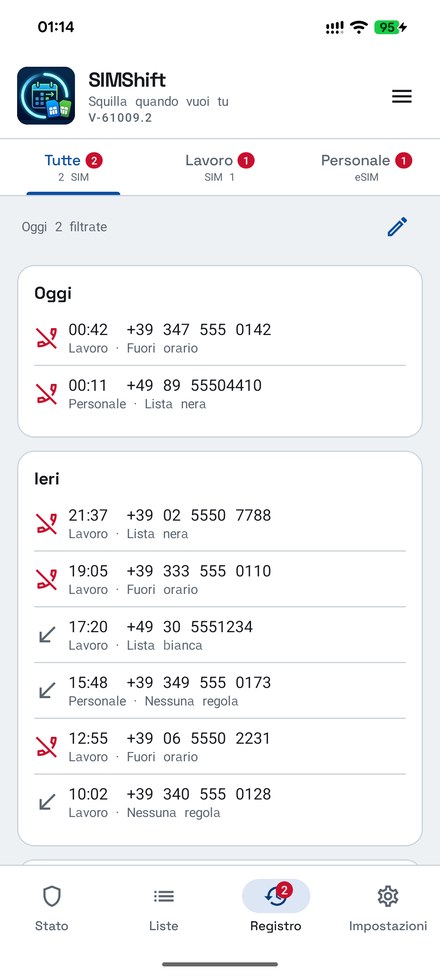
Every stopped call, day by day and split by SIM, with the reason: out of hours, block list, not in contacts. If the caller is in your contacts you see their name. At the top, today's summary: how many calls were rejected, silenced and let through. A badge on the bar tells you how many were filtered, and from any row you put the number on the allow or block list with one tap.
per SIMwith the reasonfrom the log to the lists
07 — SETTINGS
Few choices, all of them clear
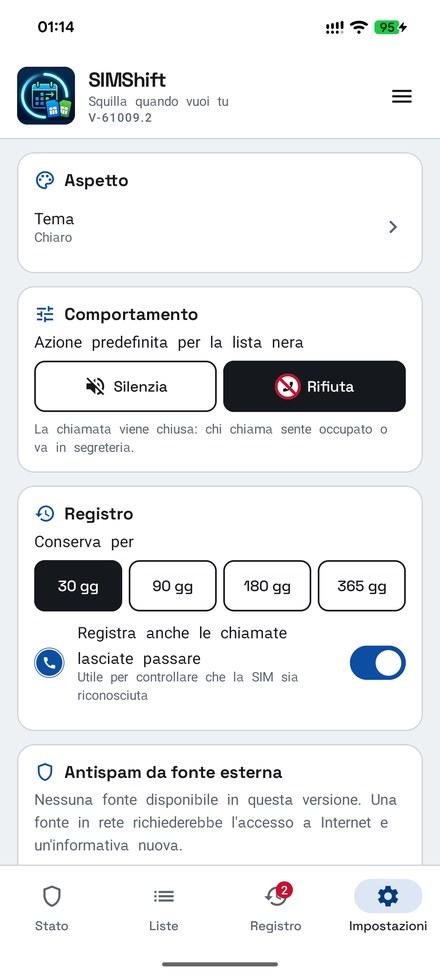
A simple index, with the current value next to each entry: the default action of the block list and what the allow list does out of hours, how long to keep the log and whether to also log the calls let through, light or dark theme, language (italiano, français, English), automatic backup to a folder you choose, to get everything back on a new phone. And a tile for the Quick Settings panel, next to airplane mode: one tap pauses the filter for half an hour, one hour or two (the block list stays on), another tap starts it again.
default actionautomatic backupquick settings tileit · fr · en