01 — STOCK
It estimates how many are left from expected use
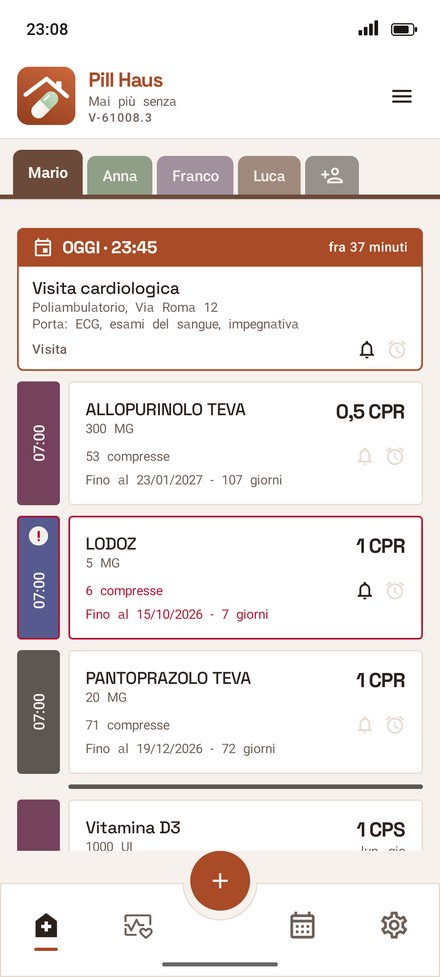
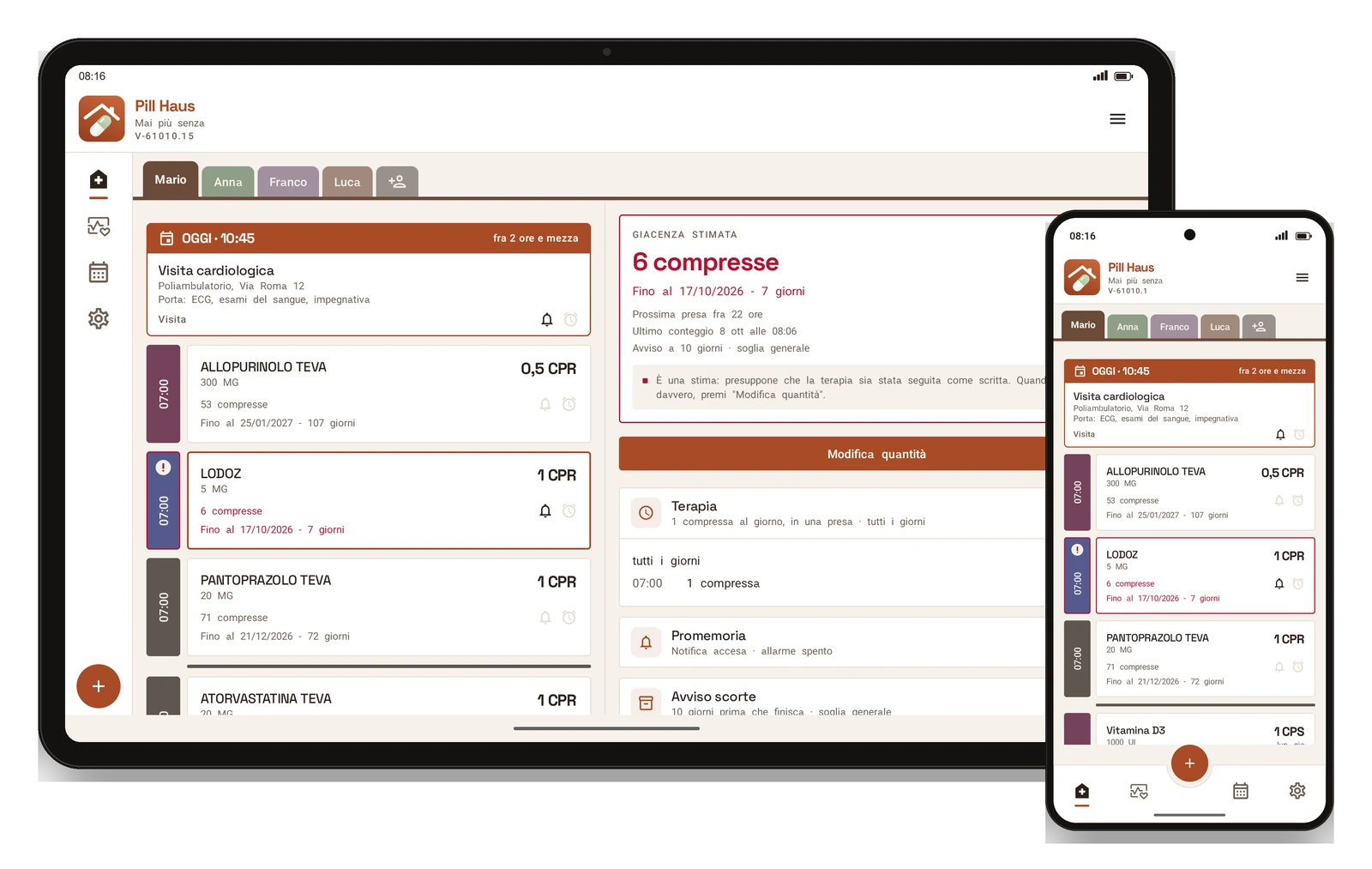
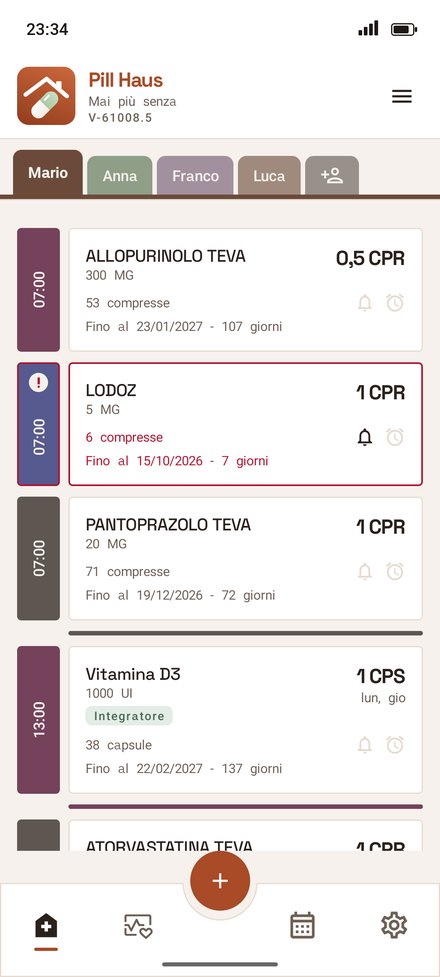
Enter once how many tablets you have and how you take them. Every day Pill Haus works out the stock and the date they will run out, and warns you a few days before: you choose how many. When you actually count them, you turn a dial and the estimate starts again from there.
daily estimaterunning-out warningcount with a dial
02 — MEDICINES
Point at the box, the medicine is in
The code and the text on the pack are read on the phone, and the medicine is found in the official catalogue of AIFA, the Italian Medicines Agency, already inside the app and available even without Internet. The number of tablets or sachets in the box is almost always filled in for you.
offline AIFA cataloguereads the boxphoto of the pack
03 — TREATMENTS
Reminders you will hear
Every day, only some days of the week, in cycles or as needed, with several doses a day. At dose time you get a notification, or an alarm that rings like an alarm clock, even with the phone on silent, until you turn it off.
cyclic schedulesnotificationalarm clock
04 — FAMILY
For you and for the people you care for
Everyone you look after has their own card. Medicines, stock, treatments and prescriptions to collect move to another family member's phone with a QR code, without retyping anything and without Internet. When a medicine is about to run out, Pill Haus drafts the e-mail asking your GP for the prescriptions: you check it and send it.
several peopleQR between phonesprescription requests
05 — READINGS
Blood pressure, blood sugar, cholesterol, weight
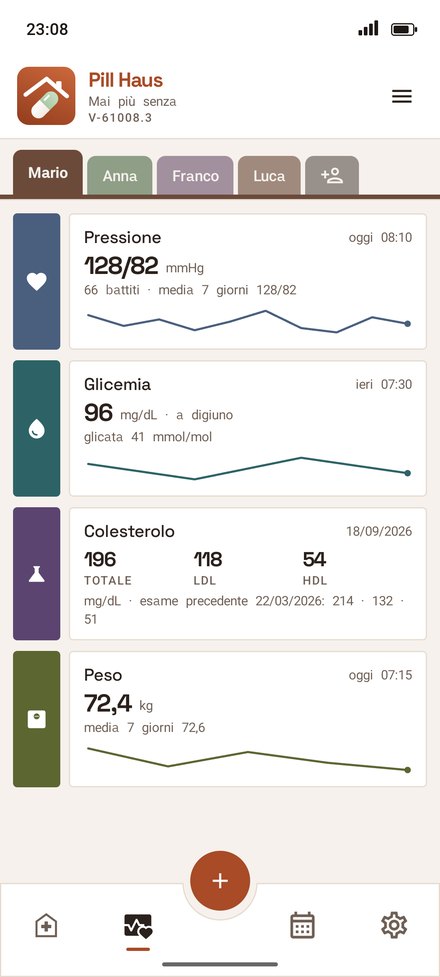
The second tab collects each person's health readings: the latest value in large type, when it was taken, the average of the last seven days and a line showing the trend. For cholesterol you see total, LDL and HDL, with the previous test; weight is entered in kilos, with decimals. If you use Pill Haus mainly for your readings, in Settings › On opening you can have it open straight here.
blood pressure and pulseblood sugarcholesterolweight
06 — TREND
The chart, and the readings for your doctor
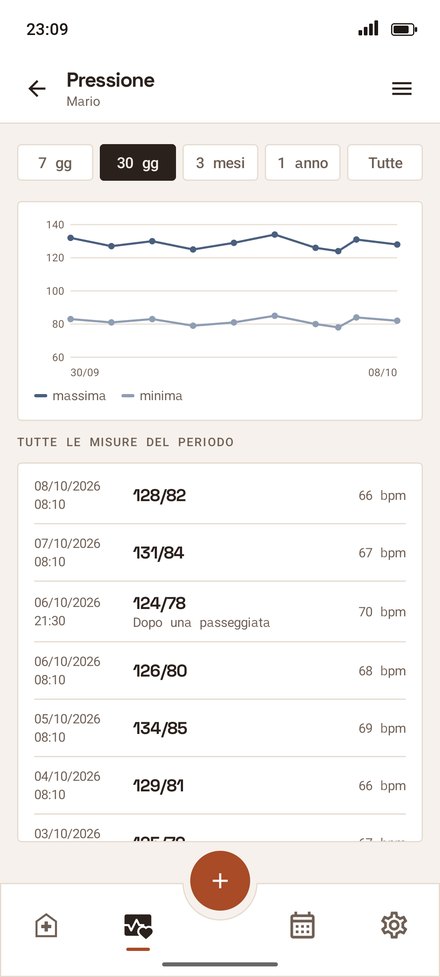
For each type, a chart of the period you choose and the list of all readings. With «Send to doctor» Pill Haus drafts the e-mail with the period's readings: you check it and send it. The app records the numbers and does not judge them: no «high» or «normal».
7 days · 1 yearchartsend to doctor
07 — IN A MOMENT
A reading takes a few seconds
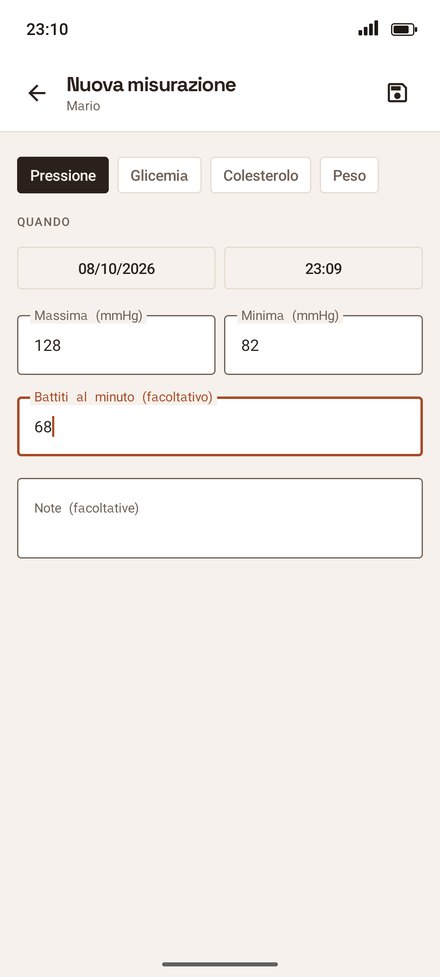
Date and time are already set to now: type the numbers your monitor shows and save. For blood sugar you say whether you are fasting or after a meal, and a note helps you remember the context. A wrong number, like a diastolic higher than the systolic, is stopped before saving.
number padblood sugar timingnotes
08 — TREATMENT PLAN
The treatment sheet, always ready
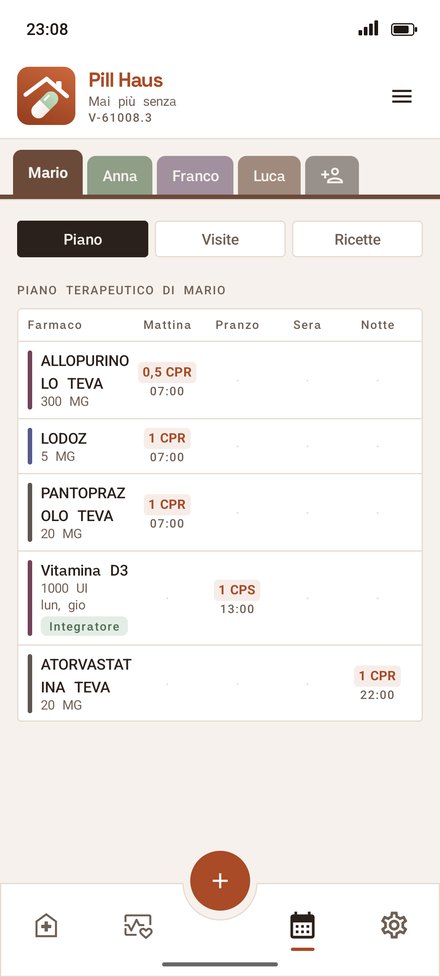
In the Treatments tab, under «Plan», treatments are laid out in a table: medicines in rows, morning, lunch, evening and night in columns, with dose and time. It builds itself from what you have already entered. Share it as an image or as a PDF to print: for whoever helps you at home, for your doctor, for the emergency room.
morning · lunch · evening · nightas neededimage or PDF
09 — APPOINTMENTS
The whole family's appointments, in order
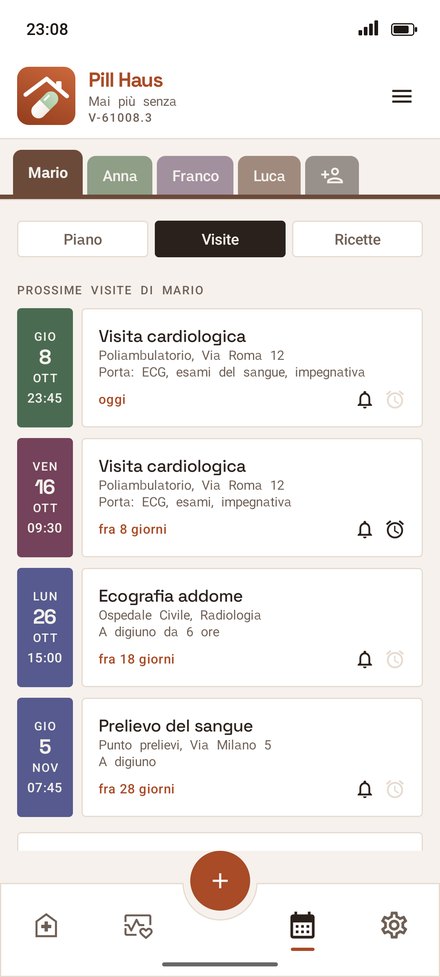
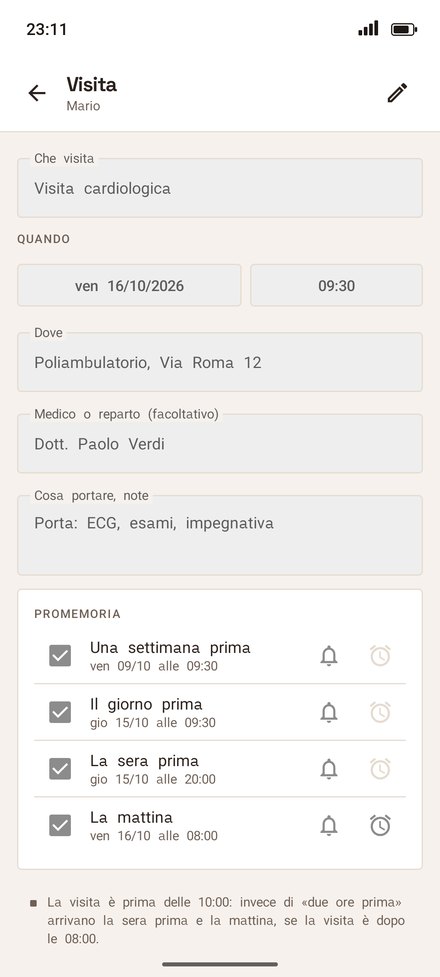
In the Treatments tab, between the plan and the prescriptions, are each person's appointments: the nearest at the top, with day, time, place and what to bring, and how long to go. The bells tell you whether a notification arrives or an alarm rings. The day after, the appointment moves by itself to the done ones, and from there you reschedule it with a tap.
for each persondone and to doreschedule
10 — REMINDERS
Reminders set themselves up
Once you pick day and time, they arrive a week before, the day before and two hours before. For an appointment before 10, instead of two hours before, at 8 pm the evening before and at 8 am that morning. For each one you choose notification or alarm, remove some or add more. The default times can be changed in settings. «Add to calendar» sends a copy to the phone's calendar.
notification or alarmevening before and morningphone calendar
11 — THE WEEK
At the top of the day
At the top of the Today tab, above the medicines, are the appointments for the next seven days, in order, each in a box of its own: the day and time, how long to go until today's, where to go and what to bring. On the lock screen the reminder only says «Pill Haus reminder»: you see which appointment it is when you unlock.
Today tabthe week at a glancetime to goprivate on the lock screen
12 — PRESCRIPTIONS
Your doctor's prescription, from e-mail to app
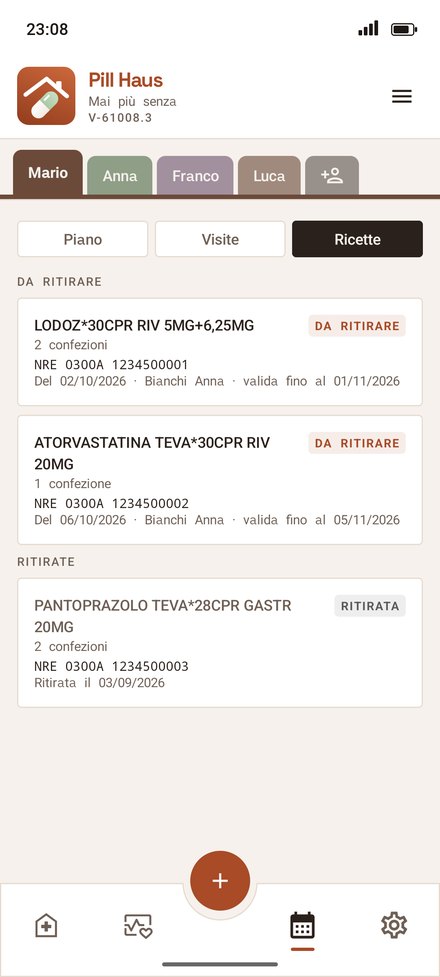
When your doctor sends you the Italian e-prescription slip, tap «Share» on the PDF and choose Pill Haus. The app reads the prescription number, the tax code, the medicine and the packs, and tells you how long it is valid. It also works with a photo of the paper slip or with the text of the message.
PDF from e-mailexpiry in viewfor each person
13 — AT THE PHARMACY
Show your phone, the pharmacist scans
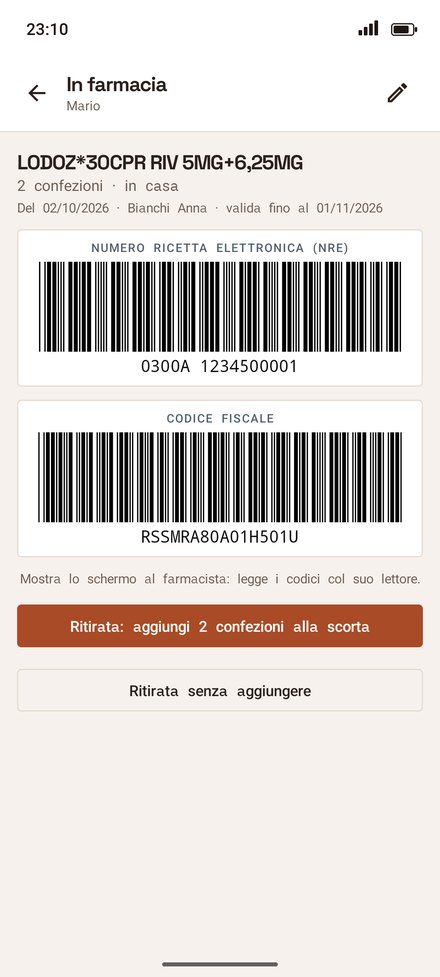
Open the prescription: the prescription number and the tax code appear as large barcodes, black on white, to be read by the counter scanner. Nothing to print. When you collect it, the packs go straight into the medicine's stock.
barcodesno printingstock updated
14 — THE WHOLE FAMILY
All the prescriptions, one after the other
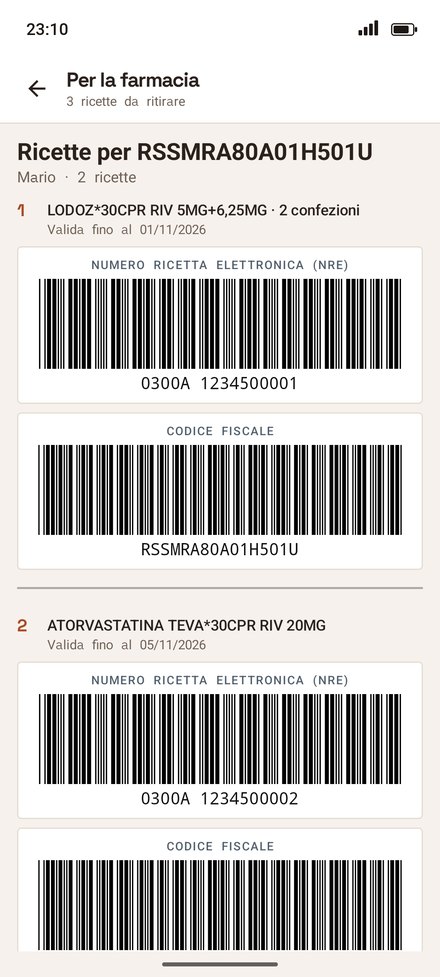
From the prescriptions menu, «Pharmacy list» puts on a single page the prescriptions to collect for everyone you look after: for each person a heading with the tax code, then their prescriptions with both barcodes, separated by a line. You scroll and the pharmacist scans: one trip, all the prescriptions.
everyoneonly to collectjust scroll